
 TrafficTriage
Blocked by robots.txt but Indexed: What robots.txt Controls
By Ugur Saritepe · September 4, 2026
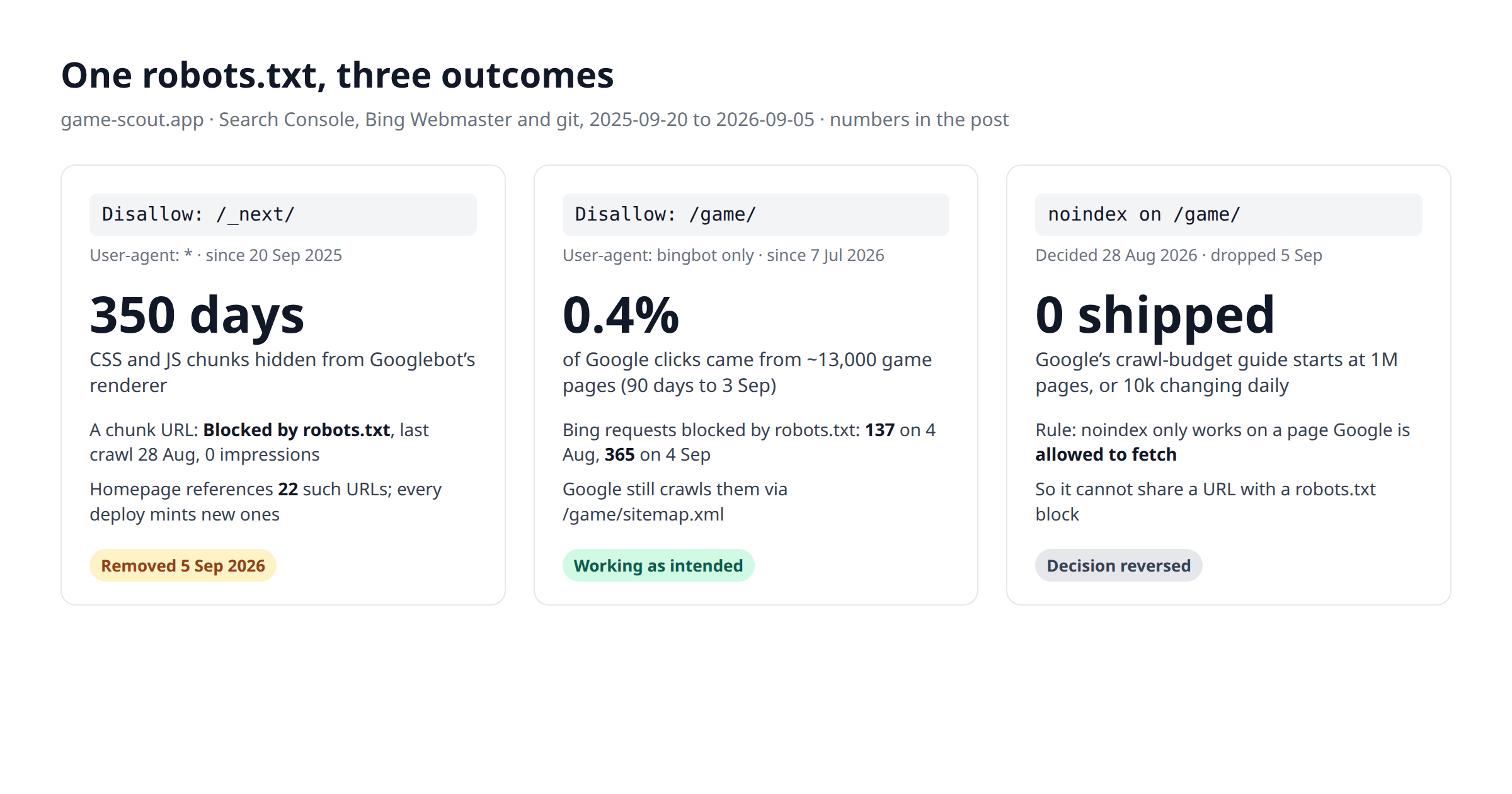
Google can index a URL it is not allowed to crawl. On 28 August, Search Console showed a JavaScript file from my games site as "Indexed, though blocked by robots.txt". The same robots.txt line had also been hiding my stylesheets from Google's renderer for 350 days. robots.txt controls crawling, not indexing. This is what that looked like on one site, three times, with the dates.
A JavaScript file Google indexed without reading
Blocking a URL in robots.txt tells Googlebot not to fetch it. It does not tell Google to forget the URL exists. If Google keeps finding the URL linked from pages it does crawl, it can keep a record of it, and sometimes list it, with no content attached. That is the mechanism behind the Search Console row I asked about:
Can we check this issue: https://game-scout.app/_next/static/chunks/247eb132b7f7b574.js?dpl=dpl_CDewQJdeWxRdvHyRAZcXSdJ6LLgi. Why is this indexed? Google says it is indexed but blocked by robots.txt.
Inspect that chunk URL on my property.
url https://game-scout.app/_next/static/chunks/247eb132b7f7b574.js?dpl=...
coverageState     Blocked by robots.txt     verdict NEUTRAL
robotsTxtState    DISALLOWED
pageFetchState    BLOCKED_ROBOTS_TXT
lastCrawlTime     2026-08-28T16:48:01Z
referringUrlCount 0
Google has the URL, tried it on 28 August, and was refused by your own robots.txt. The homepage HTML references 22 of these chunk URLs, and Googlebot harvests script and stylesheet URLs the same way it harvests links.
Two things in that result are worth reading slowly. The first is that the inspection tool says "Blocked by robots.txt" with a crawl timestamp, while the page indexing report had grouped the same URL under "Indexed, though blocked". The two views do not quite agree, and I would rather show that than pick one. The second is referringUrlCount 0: the report lists no referring page, because the reference is a <script src> tag, not an anchor. Google's page indexing report documentation defines the status plainly: the page was indexed despite the block.
The ?dpl=parameter is why the row will never clear on its own. It is Vercel's deployment id, appended to every chunk URL on every deploy, so each push mints a fresh set of blocked URLs for Google to discover. The one in my report was already from an older deployment when I asked. Search Console showed no impressions for any /_next/ URL in 120 days, so the row itself cost nothing. What it pointed at did.
The line had been hiding my CSS for a year
Disallow: /_next/went into my robots.txt on 20 September 2025, the day the file was created, copied from a template I no longer remember. On a Next.js site that path holds every JavaScript chunk and every stylesheet. Google's JavaScript SEO guidance says, as of September 2026, that Google Search will not render JavaScript from blocked files, and its robots.txt introduction adds that if the absence of a resource makes the page harder to understand, don't block it. For 350 days my robots.txt did exactly that.
It did not show up in rankings, and I want to be precise about why. The pages are server-rendered: the assistant checked one list page in the same session and found a real h1and 224 game titles in the raw HTML, before any script ran. Google indexed the text without needing the JavaScript. What it could not fetch was the CSS, so whatever its renderer saw of layout and mobile usability, it saw without styles. I cannot show you what that looked like, because I never opened the rendered screenshot in Search Console's live test while the block was in place. I can show the fix:
// src/app/robots.ts, merged 5 September 2026
- const infraDisallow = ['/api/', '/admin/', '/_next/', '/private/'];
+ const infraDisallow = ['/api/', '/admin/', '/private/'];

// next.config.ts, same pull request: keep chunk URLs out of results
// without hiding them from the renderer
{ source: '/_next/static/:path*',
  headers: [{ key: 'X-Robots-Tag', value: 'noindex' }] }
One line, 350 days late, plus a response header. The header is the second half of Google's own advice for this status: if you do not want the URL in results, remove the block and say noindex instead. A noindex on a script file does not stop Googlebot fetching it for rendering; it only keeps the file out of search results. The diagnosis had been on the table since 28 August; it took a week and a post to actually ship it, which is its own small lesson about robots.txt: nothing visibly breaks, so nothing gets fixed. The effect on the indexed chunk URL is not readable yet. I will re-inspect it in early October; if it is still listed, the row is Google's memory rather than my robots.txt.
Disallow: /_next/, /_nuxt/, /assets/ or /static/ under User-agent: *, remove it this week. Block your API and admin routes instead.The block that worked: Bingbot and 13,000 game pages
The same file also contains a block I stand behind, and the contrast is the point. My site has around 13,000 individual game pages and fewer than a hundred curated lists. In the 90 days to 3 September the lists earned 3,492 of the site's 3,789 Google clicks (92%); the game pages earned 16 (0.4%). Letting every crawler walk 13,000 pages for 16 clicks is a waste of crawl budget, so on 7 July I added a rule for one crawler only:
User-Agent: bingbot
Allow: /
Disallow: /game/

User-Agent: *
Allow: /
Bing Webmaster's crawl report showed 137 requests blocked by robots.txt on 4 August and 365 on 4 September, against 291 successful fetches the same day. Bing still indexes the lists, and Google, which is not named in that rule, still reaches the curated game pages through /game/sitemap.xml. That is the job robots.txt is good at: telling a specific crawler where not to spend its time. It does not touch what either engine already has in its index, and it was never meant to.
The noindex I decided on, and the rule that stopped it
Later the same day I wanted to go further and take the game pages out of Google's index altogether:
I decided to remove my indexes on individual game pages, since they don't get any impressions or clicks. Will this hurt my impressions or clicks?
The data said the premise was slightly off. Of the eleven game pages that had earned the 13 clicks in the prior 90 days, five were the newest games in the catalogue, ranking on page one within days of being added because nobody else had written about them yet. The dead weight was two hundred catalogue pages at position 30 to 80 for games that IGN and Metacritic own. Noindex everything and you throw out the one mechanism that was working to remove the bloat.
Then the rule that shapes the whole decision. Google's noindex documentation states that for the noindex rule to be effective, the page must not be blocked by a robots.txt file. Google has to fetch the page to read the tag. My robots.txt already blocked /game/ for Bingbot; extending that block to every crawler and adding noindex would cancel out, and Google would keep the URLs with no content, which is the first section of this post again. Pick one per URL:
goal                                    tool
save crawl budget on pages you ignore   robots.txt Disallow (per crawler)
keep a page out of search results       noindex, and let it be crawled
both on the same URL                    not possible; noindex wins, drop the Disallow
JS, CSS, images the page needs          never block; Google renders with them
I typed "yes implement it" at 23:07 that night, for the non-curated game pages only. The session ended before the change did, and the game page template kept sending index: true. A week later, while writing this, I read Google's crawl budget guide and dropped the idea:
I decided to skip the game noindex, since Google's docs say I don't need to worry about crawl budget until millions of pages.
The guide, as of September 2026, addresses sites with a million or more unique pages that change weekly, or ten thousand or more that change daily, and says that if your pages are crawled the same day they are published you do not need to read it. Thirteen thousand pages that change rarely are outside both lines. One honest caveat: the same guide also names sites where a large share of URLs sit at "Discovered, currently not indexed", which my new lists did for six weeks. What moved those was internal links from crawled pages, not fewer pages, so the decision stands, and it is the owner's decision rather than the assistant's. Nothing shipped, nothing to measure.
Our own report flagged our own site
The free report on this site has had a robots check since the beginning, and it reads a User-agent: * block on /_next/, /assets/ or /static/ as a Monitor finding, because those are the paths where frameworks keep the files a page needs to render. On 4 September I ran it against my own site, before the fix was live:
Run the eight checks on game-scout.app.
url https://game-scout.app
verdict   check 3, Robots: robots.txt blocks render assets. Blocks: /_next/.
          Nothing on the board is blocking indexing. This is simply the
          most useful improvement to make this week.
scores 1 Healthy · 2 Healthy · 3 Monitor · 4-6 Healthy · 7 Monitor · 8 HealthyThe verdict named the same line the 28 August session did. It has been sitting in the report for as long as the check has existed; I had not run the report against my own site.
One more receipt from the same run. A plain curlof my robots.txt returns a 429 and a Vercel Security Checkpoint page, even with a Googlebot user-agent string, because the site's bot protection challenges every request that is not a browser or a verified crawler. Real Googlebot and Bingbot pass by IP; audit tools do not, unless the site owner allows them. If your SEO tool reports a 403 or 429 while the site works, that is the layer to check before you touch robots.txt at all.
The 30-second version of everything above, for your own site: open /robots.txt in a browser and look for a Disallowthat covers your framework's asset path. Then open Search Console, Pages, and look for "Indexed, though blocked by robots.txt". Each URL in that list is one Google found linked but was told not to read. Decide per URL whether you want it crawled, in which case remove the block, or gone from results, in which case remove the block and add noindex. Removing the block is the first step either way. The rest of the checks in the report follow the same pattern: one thing the file says, one thing the search engine does with it, and a date on which you can see whether they matched.
FAQ
Does Disallow in robots.txt remove a page from Google?
No. A Disallow line stops Googlebot from fetching the URL; it does not stop Google from indexing it. If other pages link to a blocked URL, Google can list it with no title or description, which Search Console reports as Indexed, though blocked by robots.txt. To keep a page out of results, let Google crawl it and put a noindex tag on it.
Should I block /_next/ in robots.txt on a Next.js site?
No. /_next/static holds the JavaScript and CSS every page needs to render, and Google says it will not render from blocked files. Block /api/ and any admin routes instead. My site blocked /_next/ for 350 days; the pages still ranked because the text was server-rendered, but the stylesheets were invisible to Google's renderer the whole time and a chunk URL ended up in the index anyway.
Can I use robots.txt and noindex on the same URLs?
Not if you want the noindex to work. Google has to fetch a page to read its noindex tag, and a robots.txt block prevents the fetch. Pick one per URL: robots.txt to save crawl budget on pages you do not care about, noindex to keep a crawlable page out of results.
Check your robots.txt the same way. Paste your URL at the free report, and the 8 checks run from the URL alone, including the robots check that flagged my own site. Scored Critical, Monitor or Healthy, on screen in about 30 seconds, no signup and no Search Console needed.
In your AI assistant
Ask your AI about your own site
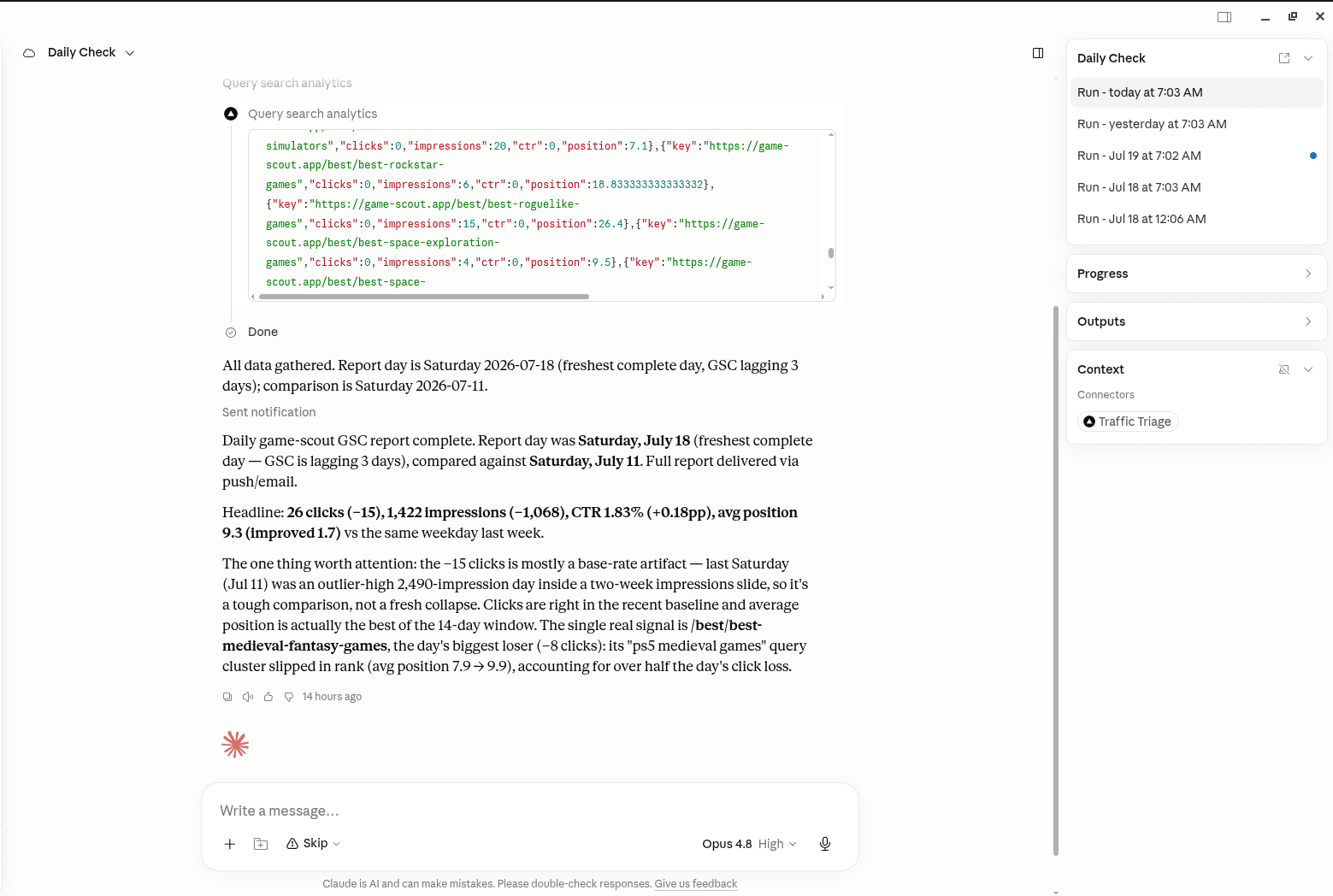
TrafficTriage plugs into Claude, Cursor, and ChatGPT. Your assistant runs the 8 checks, reads your Search Console data, and can even check your site every morning. Free account, no API key, nothing to install.