
 TrafficTriage
Replit App Not Showing Up on Google? The 60-Second Triage
By Ugur Saritepe · August 6, 2026
Your Replit app works, you can open it in the browser, and Google acts like it doesn't exist. Here is the headline finding from writing this guide: of the live Replit apps we fetched to test, four out of five were serving Google fewer than ten words of actual HTML. The empty-shell problem is almost certainly yours too, and you can confirm it in one minute.
The 60-second self-diagnosis
First, be precise about which URL you are testing: a yourapp.replit.appaddress and a custom domain are two different sites in Google's eyes. Then search site:yourapp.replit.app (or site:yourdomain.com) on Google:
- Zero results. Google has indexed nothing. Your problem is one of causes 1 to 5 below, and cause 1 is the most likely.
- Only the homepage shows. Google can reach you but is skipping the rest. Look at causes 6 to 8.
- Pages show but nobody clicks. That is a ranking and content problem, not an indexing one, and nothing below will move it. That case is what our Triage Report is built for.
Second, open view-source:https://yourapp.replit.app(view source, not “inspect element”; inspect shows the page after JavaScript runs, which hides exactly what you are hunting). Search for a sentence you can see on your live page. Missing from the source means cause 1, and it is usually the whole problem.
The core cause on Replit: an empty HTML shell
1. Google sees a blank page, not your app
Replit Agent builds full-stack apps with a React frontend that renders in the browser: the server sends a nearly empty <div id="root">and JavaScript draws your content afterward. You see the finished app; Google's first look sees the shell. Google can run JavaScript, but rendering is queued, delayed, and unforgiving of errors, so many client-rendered pages never make it into the index.
This is not a rare edge case. On August 6, 2026 we fetched ten real .replit.appapps that had been shared on Hacker News and counted the visible words in their raw HTML. Of the five still live, four served between one and eight words. One app's entire crawlable content was its name.
30-second check: the view-source search you just ran, or from a terminal:
curl -s https://yourapp.replit.app | grep -c "a sentence from your page"
Good: your real copy is in the raw HTML. Bad: a page of <script>tags and an empty root div. Google has to execute your JavaScript before it can read anything, and it often doesn't.
2. There is no prerender switch: what Replit gives you instead
Some builders ship a crawler-rendering toggle; as of August 2026, Replit does not. The platform's answer has two parts, and knowing which part solves which problem saves you an afternoon.
For metadata and crawl plumbing: after every successful publish, Replit runs a Lighthouse audit against your live URLs and shows an SEO rating (Healthy, Needs Work, or Weak) in the Publishing tool. Next to it, SEO Agent (in the Growth pane, paid plans only) audits the published app for robots.txt, sitemap.xml, titles, meta descriptions, structured data, and Open Graph tags, and turns each finding into a one-click fix. On the free plan, paste the equivalent request into Agent chat yourself: “Audit my site for SEO best practices and apply the fixes. Add a sitemap, robots.txt, Open Graph tags, and make sure every page has a unique title and meta description.”
For the empty shell itself:the fix lives in your app's code, and Agent can make it. Ask Agent to server-render your public pages: “Serve the landing page and any public content as real HTML from the server, so the full text is present in view-source without JavaScript running.” For a pure content site built without Agent, Replit's Static deployments serve pre-rendered HTML that crawlers parse instantly; note the same page states Static deployments are not compatible with Agent-built apps, which need their backend server, so for Agent apps the server-rendering prompt is the path.
view-source, stop here. Nothing else on this page matters until Google can read your app without executing JavaScript. Ask Agent for server-rendered public pages, republish, and re-check view-source.Access and publishing causes
3. Your app is private or password protected
Replit publishing has four access levels: Public, Password protected, Workspace only, and Invite only. Per the access documentation, apps in a personal workspace default to Public, but apps in an organization workspace default to a private option. A private app shows a Replit sign-in screen to every visitor without access, and Googlebot is always a visitor without access. Password protection does the same with a password prompt. Either way, Google never sees your content, and Replit won't even compute an SEO rating for a private app.
30-second check: open your published URL in a private browser window where you are not signed in to Replit. Good: your app loads. Bad: a sign-in or password screen. Fix: changing access requires unpublishing first: unpublish from the Publishing tool, set access to Public, and publish again.
4. The app isn't actually published anymore
A .replit.appURL only resolves while its deployment is live. Unpublish the app, stop the deployment, or run out of the credits funding it, and the URL starts returning HTTP 404 with a Replit page titled “This app isn't live yet”. In our ten-app sample from Hacker News, five of the ten URLs were already in this state within months of being shared. Google drops 404 pages from the index, so everything the URL earned goes with it.
30-second check:
curl -sI https://yourapp.replit.app | head -1
Good: HTTP/2 200. Bad: HTTP/2 404, which means visitors and crawlers alike are seeing the “isn't live yet” page. Fix: republish from the Publishing tool and make sure the deployment stays funded. Autoscale deployments scaling to zero between requests is fine; an unpublished deployment is not.
5. Publishing fails while Preview works
If the app runs in Preview but the publish never goes live, Google has nothing to index at all. Replit's publishing troubleshooting guide lists the usual suspects: production Secrets do not carry over from the editor and must be re-added in the Publishing pane, the server must listen on 0.0.0.0 rather than localhost, and the post-publish health check can time out if your homepage takes more than five seconds to respond.
30-second check: open the Logs tab in the Publishing pane and look for stack traces, missing environment variables, or a failed health check. Fix: smallest error first, then republish and confirm the public URL answers 200.
Page-level causes (once Google can read you)
6. Your robots.txt and sitemap are lying to you
Two failures we found in the wild while testing real Replit apps for this guide, both invisible until you look:
- The shell answers for everything. A single-page app with a catch-all route returns the HTML shell with a
200for/robots.txtand/sitemap.xmltoo. Crawlers ask for a plain-text robots file and get your React app. This is the classic soft-404 pattern and it quietly poisons crawling. - The sitemap points at a dead twin. One live app we fetched had a real
robots.txtwhoseSitemap:line pointed at a different.replit.appsubdomain, left over from an earlier app name. Google gets told the site's page list lives on another domain.
30-second check:
curl -s https://yourapp.replit.app/robots.txt
Good: a few plain-text lines starting with User-agent:, with a Sitemap: URL on your current domain. Bad: HTML output, a 404, or a sitemap URL on any other host. Fix: ask Agent to serve real robots.txt and sitemap.xml files before any catch-all route, listing your current domain only.
7. You never actually told Google you exist
A brand-new app with no links pointing at it can take weeks for Google to discover on its own. If you launched recently, haven't verified the site in Google Search Console, and haven't submitted a sitemap, nothing may be broken: Google just hasn't met you yet.
Fix: verify your domain in Search Console, submit /sitemap.xml, then use URL Inspection to request indexing on the homepage. First pages usually appear within days, a small site within one to two weeks. Past four weeks with everything verified and still nothing, stop waiting: a blocker from earlier in this list is the real cause.
8. You're building on borrowed ground: the free subdomain
The free yourapp.replit.app address works for indexing, but our dead-app finding from cause 4 is the warning: half the Replit URLs in our sample died within months, and every link and ranking they had earned died with them. A custom domain you own keeps its history through rebuilds, renames, and platform moves. Replit connects one from the Domains tab in the Publishing tool with an A and a TXT record, and notes DNS can take up to 48 hours to propagate.
30-second check: if you already connected a custom domain, confirm both the domain and the replit.app address serve a canonical tag (the line that tells Google which URL is the real one) pointing at the custom domain, so the two addresses don't compete: search view-source for rel="canonical" on both.
The verdict: fix exactly one thing this week
Run these in order and stop at the first hit:
- Content missing from view-source? Ask Agent to server-render your public pages (causes 1 + 2). This is the fix for most Replit apps.
- Sign-in or password screen in a private window? Unpublish, set access to Public, republish (cause 3).
- URL returns 404?The deployment isn't live; republish and keep it funded (causes 4 + 5).
- robots.txt returns HTML or a stale sitemap URL? Serve real files on the current domain (cause 6).
- All checks pass and the app is under four weeks old? Verify Search Console, submit the sitemap, request indexing, and genuinely wait (causes 7 + 8).
How to confirm the fix worked
Re-run the check that caught your cause: the view-source search, the private-window test, the header curl, the robots.txt fetch. It should now show the good output. Then open URL Inspection in Search Console for the page you fixed and request indexing; recrawl usually happens within days. Give it a full week before concluding the fix didn't take, and if pages still don't appear, walk back down the verdict list: a second cause was hiding behind the first.
Building on a different platform? The same triage exists for other builders in our platform guides, including the Lovable version of the same empty-shell problem.
From experience: what 10 real Replit apps served us
To ground this guide we pulled ten .replit.appapps shared on Hacker News between December 2025 and July 2026 and fetched each one on August 6, 2026, the same checks our triage engine runs. Five of the ten no longer resolved: HTTP 404, “This app isn't live yet”. Of the five live apps, four served between one and eight visible words of raw HTML, and exactly one served real server-rendered content. One had a robots.txt whose sitemap pointed at a different subdomain; another served its React shell for /robots.txt. Small sample, but it maps one-to-one onto the causes above: the empty shell first, dead deployments second, crawl plumbing third.
FAQ
Why is my Replit app not showing up on Google?
In most cases Google is receiving an empty HTML shell: Replit Agent builds full-stack React apps that render in the browser, so the server sends a nearly empty page and JavaScript draws the content afterward. The other frequent causes are an app set to private or password-protected access, a deployment that is no longer published, and missing basics like robots.txt, a sitemap, and per-page titles. The checks in this guide find your exact cause in about a minute.
Does Replit's SEO Agent fix Google indexing?
It fixes the technical layer: per Replit's docs it audits a published app for crawlability (robots.txt, sitemap.xml), metadata, structured data, Open Graph tags, and semantic markup, and turns each finding into a one-click fix. It requires a paid plan. What it does not change on its own is your app's rendering: if the raw HTML is an empty shell, ask Agent directly to server-render your public pages.
How long until a Replit app shows up on Google?
With real content in the raw HTML, Search Console verified, and a sitemap submitted: first pages typically within days, a small site within one to two weeks. If four or more weeks pass with Search Console verified and nothing indexed, stop waiting: one of the blockers in this guide is the real cause.
Is the free replit.app subdomain bad for SEO?
It works, but it is fragile. The URL only resolves while your deployment stays published: when we fetched 10 Replit apps that had been shared on Hacker News, half of them had already died with a 404 page reading "This app isn't live yet". Any links or rankings those URLs earned are gone. A custom domain you own keeps its history even if you rebuild or move the app.
Not sure which cause is yours?
Get a free Triage Report: eight checks run from your URL alone, no Search Console access needed, each scored Critical / Monitor / Healthy, ending with the one thing to fix this week. It renders on your screen in about half a minute, no signup, no email required.
In your AI assistant
Ask your AI about your own site
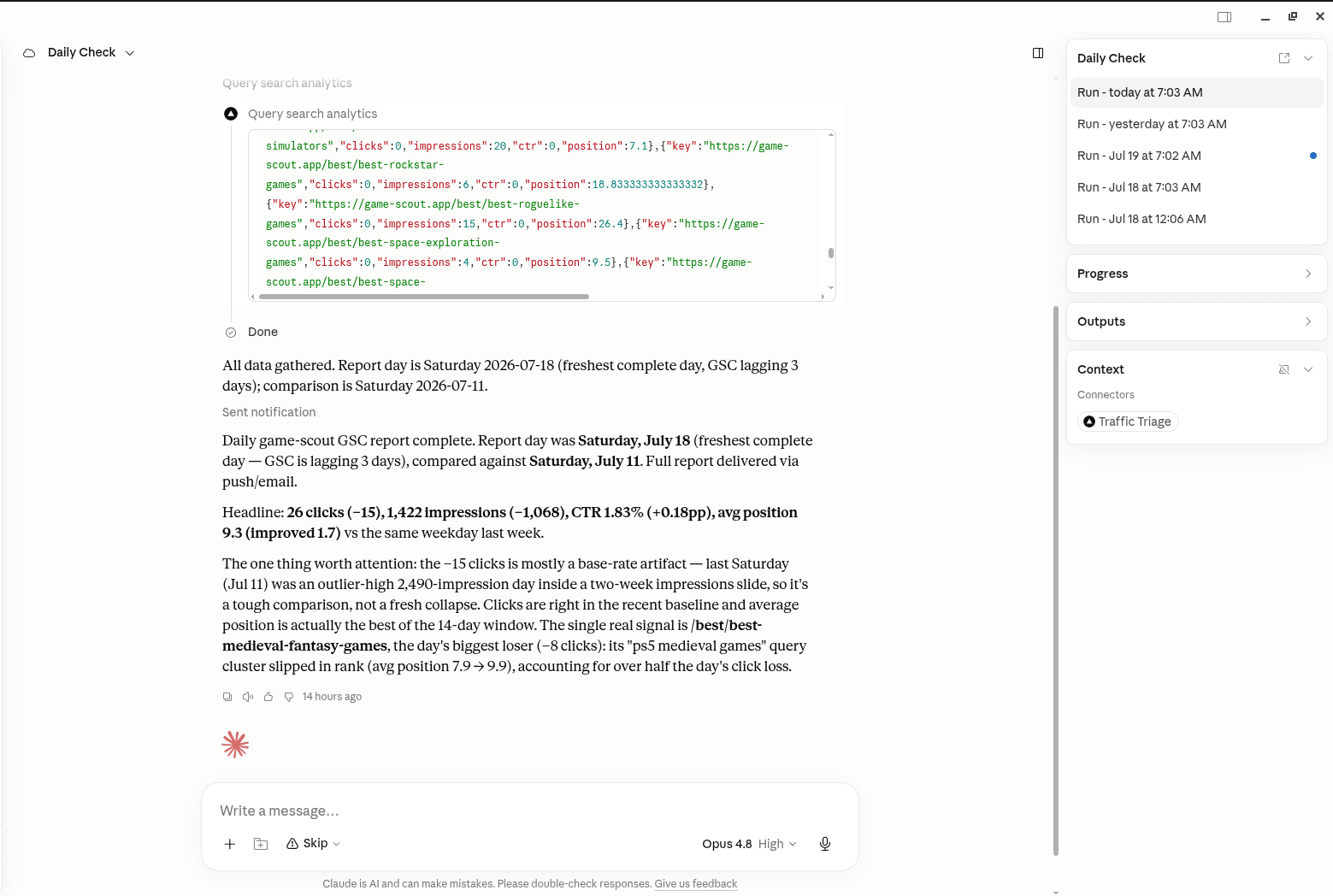
TrafficTriage plugs into Claude, Cursor, and ChatGPT. Your assistant runs the 8 checks, reads your Search Console data, and can even check your site every morning. Free account, no API key, nothing to install.